
User Experience & Interactions
PHOBOSIA is an active, tactile simulation. Discover how players navigate pressurized modules, operate physical command screens, cycle airlocks, and control field equipment.
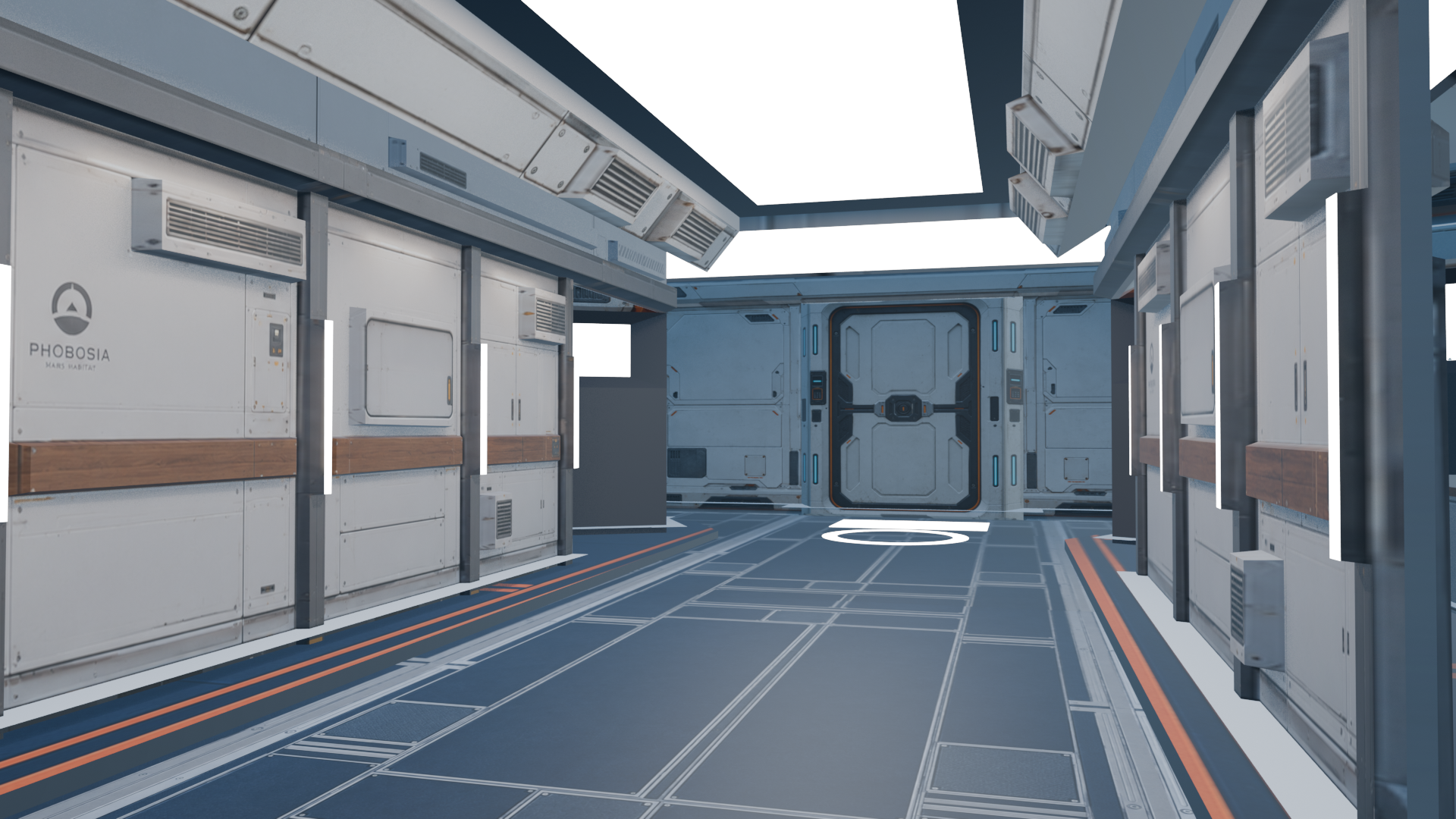
Every console in Mission Control, Habitat, Engineering, and the Science Lab is interactive. Approaching within 2.5 meters reveals dynamic UI prompts to access operational telemetry.
First-Person Free Navigation & Collision
Mechanics & Underlying System: Custom Three.js First-Person PointerLock camera controller coupled with bounding box and raycast height queries on terrain meshes.
Player Experience: Seamless, grounded movement at eye-level (1.7m camera height) with realistic head bobbing, step audio feedback, and physical wall collision preventing clipping through airlocks or module hulls.
Mission Relevance: Fundamental mode of exploration that immerses the player directly into Carl's viewpoint without a detached third-person camera.
Technical Highlights
- Pointer Lock API for precise 360° mouse orientation
- Dynamic ground slope friction and gravity raycasting
- Surface-specific footstep audio (metallic grating indoors vs sandy crunch on Martian regolith)
Physical Console Inspection & Trigger System
Mechanics & Underlying System: Sphere-cast proximity detection identifies interactive nodes within a 2.5-meter radius, highlighting the object with a subtle HUD reticle prompt.
Player Experience: Pressing 'E' smoothly locks camera focus or opens dedicated high-resolution screen UI overlays displaying authentic telemetry, schematics, and interactive controls.
Mission Relevance: The primary gateway for interacting with all 20+ functional outpost screens, toggling switches, acknowledging dispatches, and submitting mission logs.
Technical Highlights
- Dynamic UI prompt ('PRESS [E] TO INSPECT')
- Audio click and pneumatic feedback on activation
- Smooth camera alignment tweening to ensure readable screen angles
Personal Laptop OS & Crew Terminal
Mechanics & Underlying System: Dedicated simulated desktop operating system featuring custom window management, file browser, text editor, and audio player components.
Player Experience: Players explore Carl's personal files, read mission directives, inspect planetary maps, and listen to archived audio dispatches through a stylized sci-fi computer interface.
Mission Relevance: Enriches the narrative atmosphere of SOL 1 and provides intimate story context regarding Carl's thoughts during the expedition.
Technical Highlights
- Window drag, maximize, and minimize operations
- Interactive audio log playback with waveform visualizers
- Confidential mission briefing documents and technical schematics
Geological Spectrometer & Cultivation Consoles
Mechanics & Underlying System: Interactive analytical software rendering spectral emission graphs, mineralogical breakdown pie charts, and biological sensor streams.
Player Experience: Players input target coordinates, trigger sample centrifuges, analyze elemental peaks (Iron, Silicon, Magnesium), and balance nutrient pH for the hydroponic plants.
Mission Relevance: Directly fulfills the scientific objectives of SOL 3 (Target Selection), SOL 6 (Regolith Analysis), and SOL 9 (Cultivation Assessment).
Technical Highlights
- Simulated absorption spectra matching real Martian basaltic data
- Dual chamber hydroponic monitoring (Biomass, CO2 uptake, Transpiration)
- Target coordinate tagging for subsequent drone exploration
Electrical Grid Relays & Diagnostics Workbench
Mechanics & Underlying System: Interactive circuit breaker panels and multi-bus electrical routing diagrams simulating kilowatt-hour draw and solar panel input.
Player Experience: Players diagnose electrical faults, flip high-capacity breakers, route power between life-support scrubbers and drone charging pads, and clear short-circuits.
Mission Relevance: Essential during SOL 2 baseline checks, SOL 7 dust storm emergency shutdowns, and SOL 8 solar array grid recovery.
Technical Highlights
- Real-time simulated watt-hour load balance readouts
- Audible industrial hum and relay trip sound effects
- Step-by-step diagnostic workflow validation
Dual-Stage Airlock Cycling & EVA Suiting
Mechanics & Underlying System: State machine orchestrating inner door sealing, pressure venting from 101.3 kPa to 0.6 kPa, atmospheric hiss audio, and outer door unlocking.
Player Experience: Before stepping onto the surface, players must don the EVA pressure suit from the wall gantry and initiate the automated depressurization cycle.
Mission Relevance: Mandatory safety sequence preceding all outdoor EVAs (SOL 6) and the final departure journey (SOL 11).
Technical Highlights
- Physical pressure gauge dropping in real time with dramatic atmospheric venting audio
- Suit HUD transition overlay introducing oxygen remaining, radiation levels, and external temperature
- Interlocking door protocol preventing decompression blowouts
Coaxial Drone Aerial Flight Simulation
Mechanics & Underlying System: Specialized flight physics model simulating flight in Mars' low-density atmosphere (0.020 kg/m³ air density) with high-speed counter-rotating coaxial rotors.
Player Experience: The player takes remote manual control of the aerial drone, soaring hundreds of meters above the terrain to capture aerial orthophotos of geological targets.
Mission Relevance: The centerpiece of SOL 5, enabling high-altitude reconnaissance that identifies optimal ground traverse routes.
Technical Highlights
- Vertical lift, bank, roll, and elevation controls
- Downlink video distortion effects simulating radio latency
- Waypoint targeting reticle and topographic contour overlay
Mars Terrain Vehicle Driving System
Mechanics & Underlying System: Physics-driven six-wheel surface vehicle system with terrain conformity, suspension spring simulation, and steering kinematics.
Player Experience: Players board the pressurized vehicle, engage the electric powertrain, and navigate a marked 200-meter departure trail across Martian sands towards the horizon.
Mission Relevance: Concludes the playable outpost campaign on SOL 11, transitioning seamlessly into the final cinematic sequence.
Technical Highlights
- Six independent suspension dampers conforming to uneven rocks
- Cockpit HUD displaying compass heading, speed, and distance to destination
- Dynamic wheel dust particle effects